
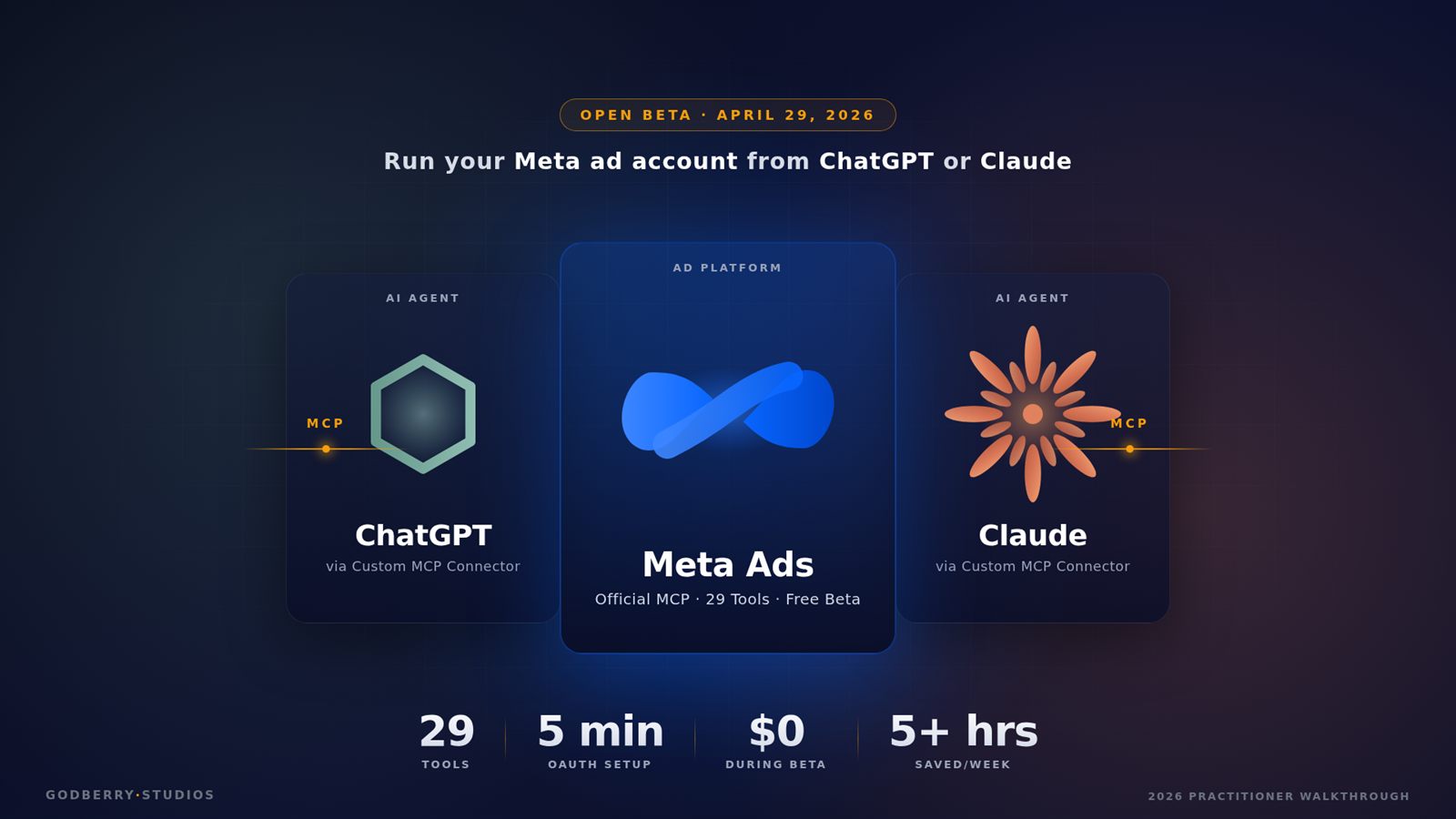

Meta opened its official MCP server to outside AI tools on April 29, 2026. Any advertiser with a Meta Business account can connect Claude Desktop or ChatGPT, paste one URL, sign in once, and run their ad account in plain English — no developer app, no token, no app review. Five minutes of setup, and 29 tools come live the moment the OAuth handshake completes.
I run my own ads against the Apify Store actors I ship, so I went through this the day it opened. Below is the setup that worked, the eight prompts I’d keep if I could only keep eight, and the account-shutdown trap already burning early adopters. If you run Meta ads — solo, agency, in-house — read the safety section before the prompt section.
What Meta actually shipped on April 29, 2026
The announcement is short: Meta added an MCP-compatible endpoint at https://mcp.facebook.com/ads and a companion CLI binary you can install via npm install -g @meta/ads-cli (Node 18+). Both let an AI client — Claude Desktop, ChatGPT, Cursor, Codex, Gemini CLI, anything that speaks Model Context Protocol — sign in with a regular Meta Business OAuth flow and call 29 ad-management tools by name. The open beta is free for all eligible advertisers globally, with more AI agents listed as “coming online soon.”
What’s new compared to community MCP servers like Pipeboard or AdKit:
- No Developer App. The community route required a Meta Developer App, app review (3-day wait), system users, long-lived tokens, and rotation. The official path is one OAuth click.
- Direct Meta auth. The connector talks to Meta’s marketing API on your behalf using the same login Shopify uses. No third party in the middle holding your token.
- Official tool surface. The 29 tools are documented and version-stable. Community servers reverse-engineered the API and broke when Meta shipped changes. (Same playbook, different domain — see how Anthropic structured its 9 official Claude connectors for creative apps.)
The 29 tools group into five families: campaigns (5), catalog (10), accounts (3), datasets (4), and insights (7). The catalog family is the largest because Meta wants commerce sellers — Shopify and BigCommerce — using this. They’ve spent three years complaining about feed troubleshooting.
How to set up Meta Ads AI Connectors with Claude Desktop
Claude Desktop is the fastest path for non-developers. No terminal needed.
- Open Claude Desktop → Settings → Connectors → Add custom connector.
- Paste
https://mcp.facebook.com/adsas the remote URL. - Click Connect. The Facebook OAuth dialog opens.
- Sign in with the Facebook account that has Business Manager access to your ad account.
- Approve the requested scopes —
ads_readandbusiness_managementare the read scopes; addads_managementonly if you want write access. - The dialog closes and the connector shows as Active. Restart Claude Desktop.
That’s it. Type “list my Meta ad accounts” in any conversation and Claude calls the ads_get_ad_accounts tool, returns your account IDs, and you’re live. Pasquale Pillitteri’s 29-tool walkthrough breaks the manifest down family by family if you want the full surface area first.
For ChatGPT, the flow is similar: enable Developer mode under Settings → Connectors, then add https://mcp.facebook.com/ads as a custom MCP connector. Pipeboard’s step-by-step ChatGPT guide is the cleanest reference until OpenAI adds first-class support. ChatGPT has historically lagged Claude Desktop on MCP feature parity by about two product cycles, so I’d expect Claude to be the smoother host for the first few months. The wider comparison — feature parity, governance, where each one wins — is in the ChatGPT Workspace Agents vs Claude Managed Agents vs Copilot Studio buyer’s guide.
For the CLI: npm install -g @meta/ads-cli, then meta auth login (pops a browser tab for OAuth), then meta accounts list to confirm. The CLI is the right home for scheduled jobs — you can call meta report weekly --account <ID> from a cron and pipe the output into a markdown report without ever opening Claude. (meta doctor and meta anomalies are the other verbs worth wiring into a schedule.)
The permission scopes you’ll be asked to approve
| Scope | What it lets the AI do | Recommended for week 1 |
|---|---|---|
ads_read |
Read campaign performance, audiences, creative metadata | YES |
business_management |
List ad accounts and pages you have access to | YES |
ads_management |
Create, pause, edit campaigns, ad sets, ads | NO |
catalog_management |
Read and update product catalogs and feeds | Conditional — yes for ecommerce, no otherwise |
Granting only the read scopes during your first two weeks is the single biggest safety move you can make. Almost every workflow that delivers value — weekly digests, fatigue audits, signal diagnostics, audience overlap checks, client reporting — runs entirely on read data. The write scopes only earn their keep once you’ve watched the AI behave on your account and trust how it handles edge cases.
The 8 prompt templates ranked by ROI
These are the templates that show up across most early-adopter case studies — Common Thread Co’s ecommerce playbook, HeyOz’s 10 day-one prompts, AdAdvisor’s campaign management guide — ranked by the time-saved-per-week ratio that comes back from agency operators running 5-25 client accounts. None of these require write scopes except the last two.
1. The Monday morning performance digest (saves 90+ minutes/week per account)
“Pull the last 7 days for ad account [ID]. Show spend, ROAS, CPA, link CTR, and frequency for every active campaign, sorted by spend descending. Flag any campaign whose ROAS dropped more than 20% week-over-week and any whose frequency is above 2.5 with a link CTR drop of 15% or more — that’s the fatigue signal Meta surfaces in Ads Manager. Output as a markdown table with a paragraph summary at the top.”
What it replaces: pulling 6 reports in Ads Manager, copying numbers into a spreadsheet, writing the summary by hand. On 8 client accounts, this used to be a 12-hour Monday for one media buyer.
2. The creative fatigue audit (saves 60 minutes/week)
“List every active ad in account [ID]. For each, show frequency, CTR, CPM, and the rolling 7-day vs 14-day delta. Mark each as: Healthy (frequency under 2.0), Watch (2.0-2.5), Fatigued (above 2.5 with CTR drop of 10%+ vs 14-day baseline), or Dead (frequency above 3.5 OR cost-per-result more than double its prior baseline).”
The Frequency-to-CTR ratio is documented in Meta’s own creative fatigue guidance — frequency above 2.5 with a 15% CTR drop is the classical trigger. The connector pulls those numbers in seconds; the agency that used to refresh creative on instinct now refreshes on a rule.
3. The audience overlap audit (saves 45 minutes/account, monthly)
“List all custom audiences and lookalike audiences active across campaigns in account [ID]. Identify pairs with high overlap risk — same source, demographics, or lookalike base — and flag overlap above 25% as a consolidation candidate. Suggest which to pause or merge to stop ad sets bidding against each other.”
Audience overlap is the silent ROAS killer for accounts running five or more ad sets. AdStellar’s account organization guide calls 25% overlap the typical action threshold; above it, ad sets compete in the same auction and drive your costs up. The connector surfaces overlap pairs from the audiences API in one call instead of the manual overlap-tool clicking that most buyers skip.
4. The CAPI / pixel signal health check (saves 30 minutes per audit, runs weekly)
“For ad account [ID], pull Event Match Quality (EMQ) scores for every event in the dataset. EMQ runs 0–10; flag any event scoring below 6.0, the bottom of Meta’s ‘Good’ band. List the parameters that are missing or low-coverage (email hash, phone hash, fbp, fbc, external_id, IP, user agent), and tell me which events are losing the most attribution because of it. End with a prioritized 5-step fix list.”
Per ALM Corp’s Pixel and CAPI guide, an event scoring in the “Good” band (6.0 and up on Meta’s 0–10 scale) is sending enough parameters for Meta to match the user with confidence. ALM Corp reports that accounts which fix their CAPI issues see a 25–40% improvement in conversion visibility within 48 hours — a lift most agencies never get to because the diagnostic was too tedious to run by hand.
5. The naming convention enforcer (saves 20 minutes/account, runs before every reporting call)
“Audit campaign and ad set names in account [ID] against this convention: [Objective][Audience][Creative]_[Date]. List every campaign or ad set that doesn’t match. For each violation, suggest a corrected name.”
A lead strategist used to do this on the morning of the client call. Now Claude or ChatGPT does it during the standup. Naming hygiene is the unglamorous prerequisite that makes every other report readable.
6. The CPA outlier flagger (saves 30 minutes/week)
“For account [ID] over the last 14 days, calculate median CPA per campaign objective. Flag any ad set with a CPA more than 2x the median for its objective, and any whose CPA jumped 50% or more in the past 3 days. Show spend on those outliers and what proportion of the account’s total budget they’re consuming.”
This is the prompt that catches “we forgot to pause that test campaign” before it eats the week’s budget.
7. Creative variant brief generation (saves 2 hours/concept)
“For ad account [ID], pull the top 5 ads by ROAS from the last 30 days in the Conversion campaign. Identify the common winning patterns — hook framing, visual format, length, CTA wording, problem/solution structure. Generate 5 new creative briefs that test variations on the strongest pattern. Each brief should include a hook, a visual direction, and a CTA.”
This is the one I’d start with if I were running ads for a Shopify catalog — it blends read access (top performers) with creative work the AI is already good at. No write scope needed; the briefs go to a designer, not into ads_create_creative. Pair it with the agentic commerce stack pattern and the same AI agent can read your top-converting product attributes from Shopify and bake them into the next brief.
8. The end-of-week client report (saves 90 minutes/account)
“Generate a client report for account [ID] for the week ending [date]. Include: spend, ROAS, conversions, CPM trend vs prior 4 weeks, top 3 winning ads with screenshots, top 3 underperformers with diagnosis, the next week’s recommended changes (creative, audience, budget). Format as a markdown document with H2 headers for each section.”
This used to be the Friday afternoon time sink that no one wanted. Now it’s a 30-second prompt.
The first six prompts only need read scopes. The seventh is creative work the AI does in chat. The eighth is reporting. Notice none of these require the AI to touch a budget or pause a campaign — that’s by design. Most of the time savings come from reporting and diagnostics, not automation. AdsUploader’s reporting-vs-launching analysis puts it bluntly: the connector is right for reporting, wrong for launching.
The account-shutdown trap and the rules I won’t break
A few rules I keep on a sticky note next to my desk:
Don’t launch high-stakes campaigns through it. A new objective, new audience, new creative, $5,000 daily budget — that’s a human-in-Ads-Manager decision. Use the connector for the diagnostic before and the reporting after. Meta’s enforcement systems flag suspicious-looking automated traffic, and a freshly-set-up Claude account spinning a brand-new $1,000/day campaign at 3am looks suspicious to whatever model Meta’s running.
Don’t let it change budgets by more than 20% without a human approval. Frequent, untargeted bid changes reset the auction’s learning phase. Madgicx’s safety guide puts it well: “a bot flipping bids frequently isn’t a superpower; it’s a way to confuse the algorithm.” Any change >20% should bounce back to a human.
Don’t deduplicate audiences by deletion. A wrong delete on a custom audience with 90 days of training data behind it is irreversible. Ask the AI to list consolidation candidates; you do the delete in Business Manager.
Don’t pixel/CAPI-edit through it. Conversion tracking changes that go wrong don’t surface as errors — they surface three weeks later as an attribution gap. Diagnose through the connector, fix in Events Manager.
Don’t run multiple AI agents on the same account at once. ChatGPT and Claude both calling update_campaign against the same campaign? You’ll hit Meta’s 100 QPS rate limit and trigger anomaly detection. One agent per account, period.
The Jon Loomer warning. Jon Loomer flagged in his post-launch coverage that several advertisers reported account shutdowns shortly after enabling AI connectors. The cause isn’t fully diagnosed yet, but Meta’s automated enforcement in 2026 is more aggressive than it was a year ago. His read: “tread very carefully. Maybe disconnect entirely for now until Meta’s stand on this technology clarifies.” That doesn’t mean don’t use the connector. It means: start read-only, watch your account health for two weeks, never let the AI touch a brand-new account that isn’t established, keep a verified Business Manager and a verified domain, and don’t run the connector on the only ad account you have.
Meta Ads AI Connectors vs Meta Advantage+ campaigns: which to use when
These two products solve adjacent problems and people keep confusing them.
| Dimension | AI Connectors | Advantage+ Campaigns |
|---|---|---|
| Who runs the campaign | The marketer (with AI assistance) | Meta’s algorithm |
| Decision points | Human reviews every change | Algorithm decides budget, audience, placement |
| Best for | Reporting, diagnostics, creative variants, signal QA | High-volume prospecting at scale |
| Cost transparency | Full per-tool visibility | Black-box optimization |
| When you have time | Weekly review with rich AI digest | Set and let it run |
| Risk profile | Human-in-loop limits damage | Algorithm can spend fast in wrong direction |
| Account size sweet spot | Any account that wants visibility | Large accounts ($10K+/month) |
Simple rule: AI Connectors are human-in-the-loop AI. Advantage+ is the fully autonomous path. You can run both on the same account, and most agencies will. Advantage+ for prospecting where the algorithm has scale to optimize against; the connector for the analytical and creative work the algorithm doesn’t do — fatigue audits, signal health, naming hygiene, client reporting.
Agency operating cadence: how to run 5-25 client accounts with this
The agency math is the most underdiscussed part of the launch. AdAdvisor reported that a 3-person agency scaled from 8 to 20 client accounts without hiring once they built their AI workflow on top of an early MCP server. Not because the AI launches campaigns — because the AI eats the diagnostic and reporting work that used to be most of the seat-time.
A cadence that scales linearly across 5 to 25 accounts:
Daily (10-15 minutes total, all accounts). Run prompt #6 (CPA outlier flagger) on every active account. Triage the alerts. Anything genuinely broken gets a 5-minute manual fix in Ads Manager.
Weekly (45-60 minutes total). Monday: prompt #1 (performance digest) per account, stacked into one rollup. Tuesday: prompt #2 (creative fatigue audit), schedule next week’s refresh from the dead/fatigued list. Wednesday: prompt #5 (naming convention enforcer) on accounts with upcoming reports. Friday: prompt #8 (end-of-week client report) per account.
Monthly (60-90 minutes total). Run prompt #3 (audience overlap), prompt #4 (CAPI signal health), and prompt #7 (creative variant brief) for next month’s testing plan.
A solo operator who used to spend 20+ hours/week on the work above for 8 accounts cuts to 4-6 hours. That frees 14-16 hours/week for new business, strategy, or more clients — same operator can run 12-15 accounts on the same time budget. That’s the actual leverage. The practical AI-business playbook for solo operators walks through the math.
The catch: every prompt above runs on read scopes. Turn on write scopes to “save more time” by letting the AI auto-pause underperformers, and you swap a high-leverage workflow for a high-risk one. Don’t. If you want full automation that can survive light rate limiting and route safely between platforms, the n8n vs Make vs Zapier comparison for AI agents is the right next stop — those tools live above the connector and add the guardrails the MCP server doesn’t.
What about the data behind the prompts?
The prompts above only work because the AI has the live numbers. But the prompts that move the needle for media buyers also need data the connector doesn’t have — competitor ad spend, customer review sentiment, listing-level intelligence on the products you’re advertising, retail-channel pricing. That’s where the connector ends and the rest of your stack picks up.
For ecommerce that means structured product feed data, cross-channel pricing signals, and customer review intelligence pulled from outside Meta. For local businesses it means Google Business Profile review monitoring, competitor location intelligence, and lead enrichment — this is exactly the gap my own Google Reviews and Yelp scrapers were built to plug. The AI local SEO stack benchmark covers what survives a 30-day production test on the local-business side. The AI in your chat is the orchestrator; the data it reasons over has to come from somewhere. Most early adopters underestimate this and end up writing prompts that ask the connector for context it can never have.
The pieces to build now
The connector matters because it deletes the boring half of Meta Ads operations — the reporting and diagnostic seat-time most agencies were eating every week. It also rides the early-adopter risk curve where a real chunk of users will burn an ad account learning what not to do. Skip that curve: stay read-only for two weeks, build your prompt library from the eight templates above, and let the time savings cash out as more clients, more strategy time, or more sleep.
The harder pieces are still on you. Which campaigns to launch, which audiences to test, which creative direction is worth a budget — none of that comes out of the connector. It accelerates the work around the work. The judgment is still yours.