
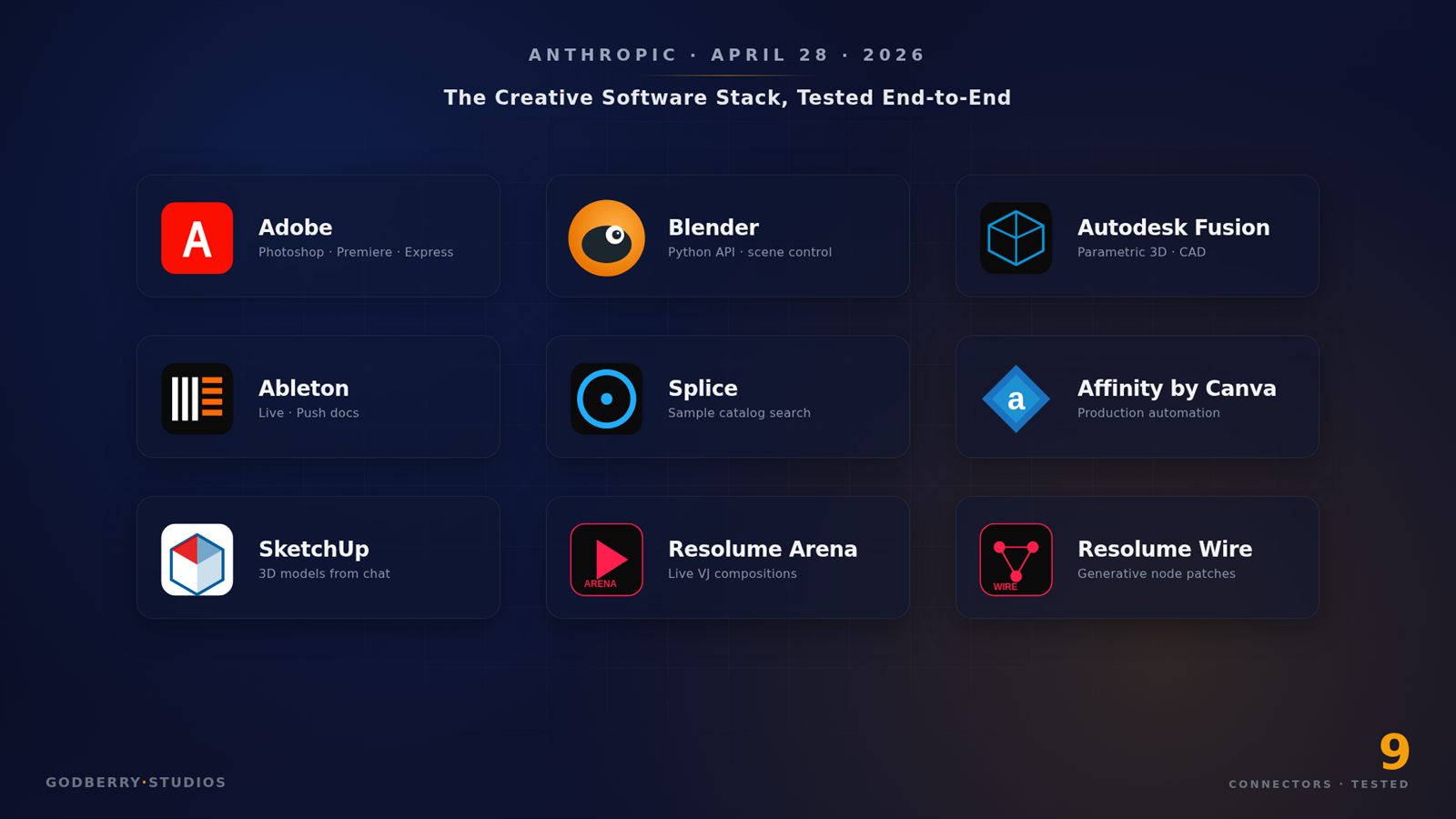

On April 28, 2026 Anthropic shipped nine official Claude connectors for Adobe Creative Cloud, Blender, Autodesk Fusion, Ableton Live, Splice, Affinity by Canva, SketchUp, Resolume Arena, and Resolume Wire. Overnight, Claude moved from a chat window you paste into to something that sits inside the software a working creative already opens every day. Adobe alone reports around 41 million Creative Cloud subscribers; the other eight tools cover millions more 3D artists, architects, producers, and VJs.
Press coverage of the launch is thick, and most of it stops at the press release. What it skips is the practitioner read: what each connector is actually good at, where it quietly fails, and which one to reach for first if you have a real brief and ninety minutes. This article is that read — built from the launch posts, each vendor’s own documentation, and the early hands-on coverage and forum threads from people who do own the underlying software. Two of the nine connectors run on tools that are free to anyone (Affinity by Canva and Blender), so those I can speak to first-hand. The rest I can’t pretend to have stress-tested, and I won’t. What follows is analysis, not a lab report.
Every connector here is built on the Model Context Protocol (MCP), the same open standard powering Claude Managed Agents. They are vendor-built and vendor-maintained, not community side projects — which matters, because a funded vendor integration tends to improve on a release cadence rather than rot when a maintainer loses interest. The same MCP wire format means another model (GPT, Gemini, an open-weight host) can in principle plug into the same servers. Anthropic shipped the integration layer; everyone else gets to live there.
The Short Answer Up Front
If you only have time to install one, match the connector to the bottleneck in your week, not the most-hyped tool. The honest ranking by role:
- Photographer or social-media designer. Adobe for Creativity is the most production-ready of the nine on the strength of its Photoshop path, and it orchestrates 50+ tools intelligently. The early hands-on coverage backs this up.
- 3D artist or technical-director-shaped person. Blender first. The Python-API surface is huge, and Claude reads documentation faster than any human. Skip Fusion unless you actually live in CAD.
- Motion designer or video editor. Adobe for Creativity for Premiere reframing, plus Resolume Arena if you also do live visuals.
- Music producer. Splice and Ableton together. Splice is the workhorse; Ableton’s connector is documentation-only today.
- Architect or product designer. SketchUp first, Fusion second. SketchUp’s free entitlement (30 saved models) makes the cost of trying it zero.
- VJ or live-show designer. Resolume Arena for compositions and Resolume Wire for node patches. Both are the most surprising connectors of the nine.
- Agency creative lead. Adobe for Creativity and Affinity by Canva. Affinity’s automation handles the production-prep work that eats a junior designer’s afternoon — and Affinity itself costs nothing.
For predictable extraction tasks — pulling a competitor’s product photography catalog, building a brand-color reference from a competitor’s site, sourcing structured product data to feed into any of these connectors — none of these tools is the right answer. I run two Apify scrapers (Google Reviews Scraper and the recently-shipped Yelp Scraper), and the deterministic-pipeline vs creative-orchestration split is the same here as it is there. Connectors do the creative work. The data layer that feeds it sits outside Claude’s reach.
What “Connector” Actually Means
A Claude connector is a remote MCP server that Anthropic (or the vendor partner) hosts and signs off on. You enable it from the Connectors directory inside Claude — desktop, web, or the Claude API via mcp_servers. Claude picks which tools to call, in what order, with what parameters. Three practical points the launch coverage glosses over:
- Plan requirements. Connectors work on every paid Claude plan — Pro ($20/month), Max ($100 or $200/month), Team ($20 or $100/seat), Enterprise. Free tier doesn’t get them. Most also require an account on the partner side — Claude orchestrates, but it is not a license replacement.
- Where the work runs. Adobe’s runs in Adobe’s cloud. Blender’s runs against your local install via the Python API. SketchUp builds geometry in a Trimble cloud session and hands you a
.skp. Resolume runs locally. The execution surface drives latency, privacy, and failure modes. - Tokens are still on the meter. Sonnet 4.6 at $3/$15 per million is the safer default for connector work; Opus 4.7 at $5/$25 is overkill for most of what you’ll ask, and the Opus 4.7 tokenizer change makes the practical gap wider than headline price implies. The Gemini 3.1 Pro vs Claude Opus 4.7 cost-per-task numbers are useful if you’re still picking — connector workloads favor whichever model burns fewer output tokens at a given correctness.
The Nine Connectors at a Glance
| Connector | What it does | Where it runs | Account needed | Best for |
|---|---|---|---|---|
| Adobe for Creativity | Orchestrates 50+ Photoshop, Illustrator, InDesign, Premiere, Express, Firefly, Lightroom, Stock tools from chat | Adobe cloud | Claude account; Adobe account required to run jobs, unlocks higher limits | Photographers, social designers, motion editors |
| Blender | Natural-language access to the full Blender Python API; doc-grounded answers | Local Blender install | Claude only | 3D artists, TDs, anyone wrangling Blender Python |
| Autodesk Fusion | Conversational creation and modification of 3D models | Autodesk cloud | Fusion subscription | Product designers, mechanical engineers |
| Ableton | Documentation-grounded answers about Ableton Live and Push (read-only today) | N/A — pure docs | Claude only | Music producers learning the ecosystem |
| Splice | Searches the Splice sample catalog and returns matches | Splice cloud | Splice account | Producers, beatmakers, sound designers |
| Affinity by Canva | Automates batch image adjustments, layer renaming, file export, custom features | Local Affinity app | Free Affinity account | Production designers, agency creative leads |
| SketchUp (Trimble) | Builds 3D geometry from text + reference images, returns .skp file |
Trimble cloud | Claude account; free entitlement for 30 saved models | Architects, interior designers, kitbash artists |
| Resolume Arena | Builds and modifies live VJ compositions; loads media, layers, effects | Local Arena install (7.26+) | Resolume Arena license | VJs, live-show visual artists |
| Resolume Wire | Builds and modifies node-based generative patches | Local Wire install (7.26+) | Resolume Wire license | Generative artists, VJ patch authors |
Adobe for Creativity
You enable it from the Connectors directory and sign in with an Adobe account — an Adobe account is required to run jobs, and signing in unlocks higher limits and lets work persist across sessions. Then you type a goal — “Take this raw portrait, balance the lighting, blur the background, crop for LinkedIn, and generate three social-ready variants in Express” — and Claude picks the tools.
Per the Adobe launch post, the connector spans 50+ tools across Photoshop, Illustrator, InDesign, Lightroom, Premiere, Express, Firefly, and Adobe Stock. Photoshop coverage looks strongest: the PetaPixel walkthrough shows portrait retouch flows hitting production-ready output in three or four turns. Premiere is shallower in the early coverage — automatic resize and reframe for vertical formats reads well, but anything multi-track-timeline still wants a human in Premiere proper. Express handles social-asset finishing.
Where it falls down, by every account so far: pixel-level control. The connector orchestrates; it doesn’t replace the human. When you need a layer mask or a timeline keyframe, you keep working in the app. Treat it as the first 70% of a job, not the last 5%.
For agency creative leads this looks like the highest-ROI install. A 30-second prompt that produces ten on-brand variants is roughly an afternoon a junior creative no longer loses. If you already run an n8n / Make / Zapier automation stack, the Adobe connector slots in as the creative endpoint.
Blender
The most interesting of the nine if you write Python — and, helpfully, one of the two you can try without paying for anything, since Blender is free and open-source. Per BlenderNation, the integration exposes a natural-language interface to Blender’s Python API plus doc-grounded answers. Install it locally, point at your Blender install (4.5 LTS or newer), and start asking. “Inspect this scene and tell me why the rigid-body sim is exploding on frame 142.” “Batch-rename every object in collection vehicle_pack to vehicle_<index> zero-padded to three digits.” “Procedurally generate twenty variants of this material with hue offsets between 0 and 60 degrees.”
Trying it on a free Blender install, the pattern is immediately legible: the connector reads documentation faster than you, which is the real superpower. Blender’s API surface is wide enough that even seasoned TDs lose afternoons to “what is the right way to call this operator from a script.” The Blender Artists thread is full of working examples — scene cleanup, batch UV fixes, asset library management — that would have been afternoon-long Python projects last quarter.
Where it falls down: anything stylistic. Deterministic operations on geometry and the dependency graph work well; aesthetic judgment doesn’t. “Make this scene more cinematic” returns generic three-point-lighting suggestions.
On durability, the Blender story is more complicated than the launch coverage made it sound. Anthropic initially announced a Corporate Patron membership in the Blender Development Fund. After concerns from the Blender community about how the Foundation engages with AI companies, that arrangement was converted to a single one-off donation to Blender core development around May 1, 2026, and Anthropic’s logo was removed from the Development Fund page. So the durability signal is softer than “a recurring patron keeps the Python API substrate healthy for years.” It is one donation, not an ongoing membership — and the episode is itself a signal that open-source creative communities will scrutinize AI partnerships hard. If you build inside Blender, the connector is still worth installing first; just don’t read it as a multi-year funding commitment.
Autodesk Fusion
Smallest-audience tool of the nine and probably the most commercially useful when it fits. Per the Anthropic launch post, it lets Fusion subscribers create and modify 3D models through natural language. The use case that makes the install worth it is parametric variant pumping: “give me twenty versions of this bracket with hole diameter from 4mm to 8mm in 0.2mm increments, with mass and center-of-gravity per version.” Script-and-tabulate work that used to be a Fusion API project, now a chat session.
Requires an Autodesk Fusion subscription. Iteration is bounded by Fusion’s render-and-validate latency in Autodesk’s cloud — each modification returns in seconds, fast enough for batch scripting, slow enough that interactive sketching is awkward.
Where it falls down: surfacing, sweeping, lofting, anything where the human eye on the geometry is the bottleneck. It helps with mechanical work that has a unit-tested correctness criterion. Not with the part of CAD where you stare at a curve until you can feel it is right.
If you don’t already pay for Fusion, this isn’t the connector that’ll sell you one. Skip it.
Ableton Live
Smallest in scope, and the launch communication has been clear about why: it does not mutate your set. Per Build This Now’s roundup, it grounds Claude’s answers in official Live and Push documentation. That’s it, today. Ask “how do I set up sidechain compression on a return track” and Claude answers from the manual instead of guessing. Ask “rebalance the stems in my current set so the kick sits at -6 dBFS” and Claude tells you how to do it manually.
More useful than it sounds. Live’s manual is dense, third-party docs are fragmented, and the existing Reddit + forum corpus is full of workflow advice from before Live 12. A chat partner answering from canonical docs cuts a real source of frustration when you’re learning the ecosystem.
Where it falls down: anything that touches the set. Producers hoping to say “lower the master compression threshold by 2 dB and bounce the export” will be disappointed. The precedent across the other connectors — Adobe, Resolume, and Affinity all write back — suggests a future iteration closes this gap.
If you produce in Live, install it anyway. Cost is zero, value is real-time documentation lookup with context.
Splice
The workhorse for music producers. Per the Anthropic blog, Splice’s MCP searches the sample catalog against natural-language queries. “Find me four-bar drum loops at 96 BPM with no kick on the downbeat and a snare at 16th-note density.” “Surface vocal one-shots in C minor that sound like the chopped-soul samples in early MF Doom production.” Matches return as previewable links you drag into your DAW.
It should shine paired with the Ableton connector: ask Claude to surface a sample from Splice, ask Ableton for the right way to chop it on Push, use Claude as the connective tissue. Splice as the search layer, Ableton as the documentation layer.
Where it falls down: taste. Claude finds samples matching a description; it can’t tell you which will sit in your track. Fast librarian, not fast collaborator.
Pricing note: the connector is free for Claude Pro and up, but you still need a Splice subscription to download. Most Claude users producing music already pay for it.
Affinity by Canva
This is one of the two connectors I can speak to directly, because Affinity by Canva is free — Canva made the all-new Affinity free for everyone on October 30, 2025, one unified app for image editing, vector design, and page layout, with only a free Canva account required to sign in. There is no license to buy and no paid tier to unlock for the core tools, which changes the math on the connector entirely.
Per the Affinity April 2026 update post, the AI Connector automates batch image adjustments, layer renaming, file export, and custom feature generation directly inside Affinity. The trick that earns it a place in your week: describe a process once, and Claude builds a reusable script you run whenever you need it.
If I had to pick one connector for production-line work, this would be it. Adobe’s strength is single-task orchestration (“retouch this portrait”); Affinity’s is repetitive production automation (“rename every layer to follow the new naming convention, export both color spaces, place each in the print-ready folder by client”). Because Affinity itself is free, the only cost of adopting this workflow is the Claude tokens it burns — there is no software license to amortize against.
Where it falls down: anything stylistic. Claude runs the script you describe; it can’t yet decide what the script should do based on aesthetic judgment about an unfamiliar brand.
For agency creative leads, install this alongside Adobe’s. Adobe handles one-off creative; Affinity handles production-line; Claude orchestrates both.
SketchUp
A Trimble integration as much as an Anthropic one. Per Trimble’s announcement, users describe what they want in plain language alongside reference images, sketches, photos, floor plans, or dimensions. Claude builds the geometry in a cloud SketchUp session, verifies dimensions iteratively, and returns a .skp.
The free entitlement matters: every Claude user who enables the connector gets free SketchUp access for up to 30 saved models. Trial cost is zero. After 30 saves a paid entitlement is required.
Use cases: massing models, landscapes, furniture, mid-fidelity product design references, kitbash assets. The connector tracks version history within a single chat — undo to the prompt that produced the version you liked, branch from there. When the model is done you get a 2D preview thumbnail and a download link.
Where it falls down: precision modeling. SketchUp is a sketching tool, not a CAD tool, and the connector inherits that. Excellent for “build me a 4-bedroom floor plan with the kitchen on the south wall,” bad for “produce a tolerance-stacked assembly drawing.” Use Fusion for the latter, both together if you need both.
Resolume Arena and Wire
The two Resolume connectors are the most surprising of the nine, and they share an MCP server install — the marginal cost of running both is zero. Per Resolume’s MCP support page, they let visual artists control Arena, Avenue, and Wire with natural language. Resolume 7.26 or later is required.
Arena is for live VJ compositions. Claude builds and manages compositions, loads files and sources, adds and removes effects, layers, columns, and groups. Resolume’s own framing is right: this is mostly used for building compositions, not live performance. Pre-show it’s brilliant for laying out a 40-clip composition, mapping effects across layers, and generating MIDI or OSC mappings. Mid-show, you want a hardware controller and your hand on it.
Wire is Resolume’s node-based generative patcher — the tool for real-time visuals that react to audio, MIDI, or external data. Describe a patch — “build me a feedback-loop patch that reacts to incoming kick drum hits with a hue-shifted echo” — and Claude assembles the node graph. Wire patches are notoriously fiddly to build from scratch; Claude is good at the structural part — getting topology right, exposing the parameters that matter, naming nodes consistently. Aesthetic refinement stays yours. The connector accelerates the boring 80% and leaves the interesting 20%.
For VJs and generative artists, install both. Most of your week is composition prep, not live performance — exactly the part the pair compresses.
Decision Tree: What to Install First
Pick the line that matches your role, install in order, stop after the second item. Anything beyond is exploration, not work.
| Role | Install first | Install second | Skip for now |
|---|---|---|---|
| Photographer | Adobe for Creativity | Affinity by Canva | Fusion, Resolume, Splice |
| Social-media designer | Adobe for Creativity | Affinity by Canva | Fusion, Resolume, Blender |
| 3D artist (game / VFX) | Blender | SketchUp | Fusion, Ableton, Resolume |
| Mechanical / product designer | Fusion | SketchUp | Adobe, Ableton, Resolume |
| Architect / interior designer | SketchUp | Fusion | Splice, Ableton, Resolume |
| Music producer | Splice | Ableton | Fusion, SketchUp, Resolume |
| Motion designer / video editor | Adobe for Creativity | Resolume Arena | Fusion, SketchUp, Affinity |
| VJ / live-show designer | Resolume Arena | Resolume Wire | Fusion, SketchUp, Splice |
| Agency creative lead | Adobe for Creativity | Affinity by Canva | Fusion, Splice, Wire |
Most people enable five out of curiosity, use two by Friday, and forget the rest. Install the two you’ll actually use.
What Claude Still Can’t Reach
The honest gap is everything outside the creative-software vendor walls. Claude can drive Photoshop. It can’t pull a competitor’s product photography catalog, extract their brand color palette from a landing page, or build a structured reference dataset of every poster in a target genre. It can build a Blender scene; it can’t scrape a public gallery for kitbash-eligible reference meshes. It can drive Splice; it can’t enrich your sample library with metadata from a producer interview transcript.
That data layer sits in deterministic-pipeline land — competitor catalogs, brand reference libraries, public review corpora, location databases. I keep my Google Reviews Scraper and Yelp Scraper feeding the front-end of exactly that pipeline because the economics don’t compare: a determined scraper hits a known target reliably for fractions of a cent, while a connector orchestrating creative work bills in tokens. Use both — just don’t ask either to do the other one’s job.
If you want a wider tour of the AI tools that pair with these connectors, the 47 free AI tools that replace expensive software roundup catalogs the adjacent pieces. For agencies pricing the operational layer beneath, the enterprise AI agent buyer’s guide covers the agent-runtime layer.
Two Things to Take Away
The integration spec for AI inside professional creative software is now MCP, and the first integration partner almost every major vendor picked is Anthropic. Adobe, Autodesk, Trimble, Ableton, Splice, Canva, and Resolume all picked the same lane in the same week. The integration layer is table stakes from here; the competitive question is who builds the best chat-driven creative loop on top of it.
The second takeaway is quieter, and the Blender episode is where it shows. Anthropic’s planned Corporate Patron membership in the Blender Development Fund became a one-off donation after the community pushed back — a reminder that shipping an MCP buys a vendor the integration, not the goodwill. Open-source creative communities will weigh AI partnerships on their own terms. The smart connectors will earn their place by being genuinely useful inside the workflow, not by writing a check. For a working creative, that is reassuring: the test that decides which of these nine survives in your week is the same test it always was — install the one that fixes the bottleneck you actually have, give it two weeks, and keep the ones that stayed.